
We understand that paying with cryptocurrency may be unfamiliar to some users, so we have prepared a simple step-by-step guide to help you complete your payment securely.
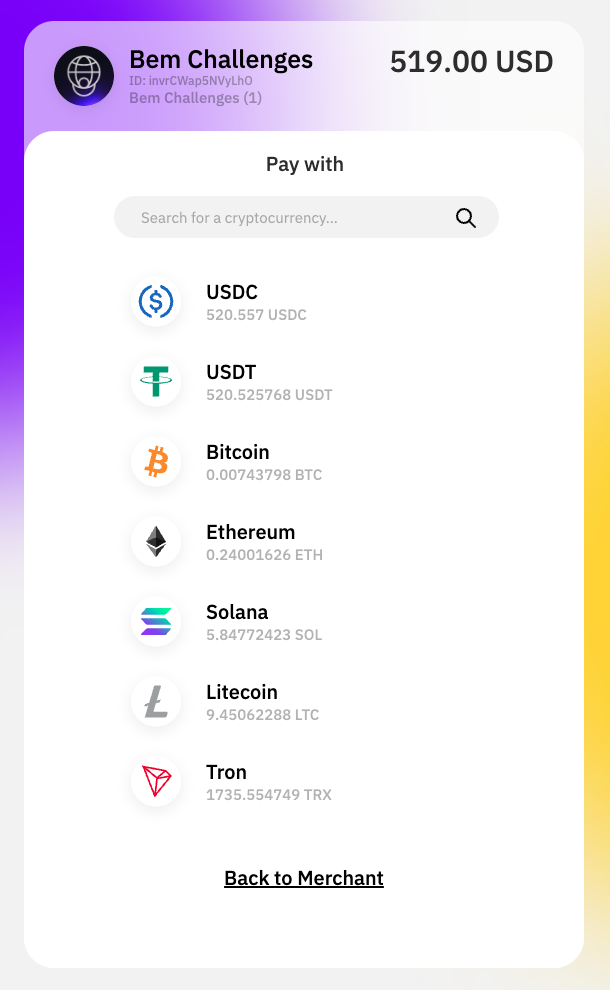
First, select the cryptocurrency you would like to use during checkout.
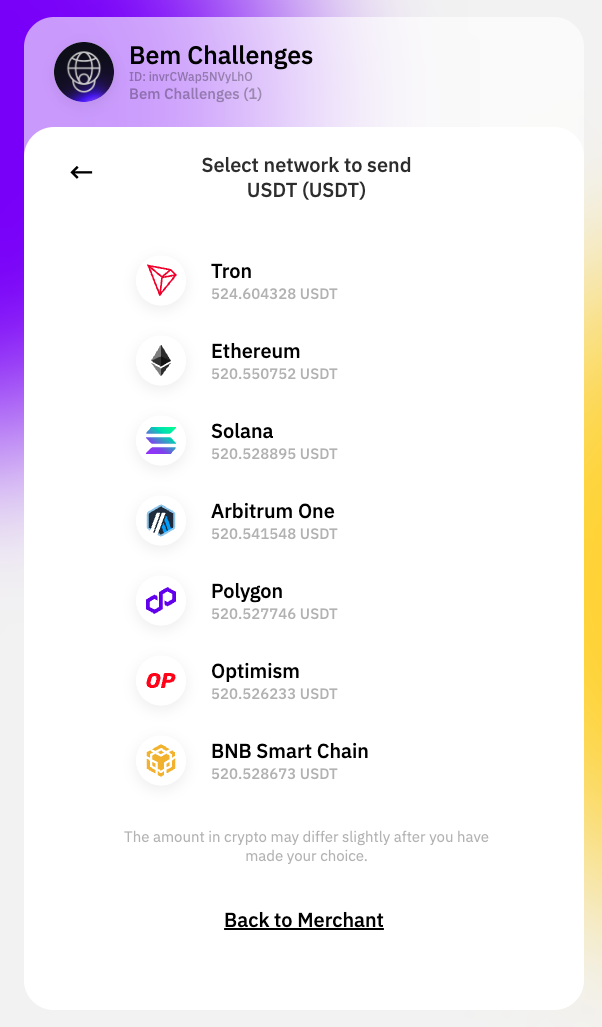
Next, make sure you select the correct network before proceeding. Choosing the wrong network may result in the loss of funds.
Once confirmed, you will be provided with a unique wallet address and/or QR code. You can either scan the QR code or copy the wallet address and send the exact amount displayed.
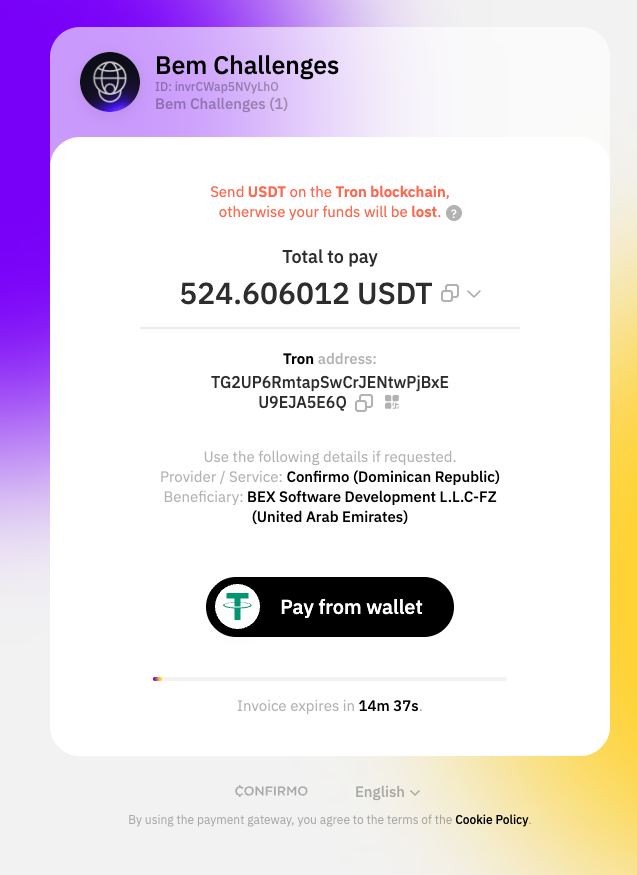
Please note that a unique wallet address is generated for each order. Do not reuse any previous wallet addresses, as this may prevent us from identifying your payment correctly.
You should also ensure that both the selected cryptocurrency and network match exactly. Transactions sent incorrectly cannot be reversed.
Need help?
If you have any questions or require assistance, please contact us at [email protected].
Security Notice: Please be aware of potential scams. BEM Funding will never contact you via social media with payment instructions and will never send payment links directly. Always use the official payment interface on our platform and do not modify your invoice or order ID.
Disclaimer: BEM Funding is not responsible for any losses resulting from incorrect or misdirected cryptocurrency transactions. If funds are sent through an incorrect network, our payment provider may be able to assist in attempting recovery. However, please note that such processes are not managed or guaranteed by BEM Funding. Recovery attempts may involve additional fees charged by the provider, and in some cases, funds may not be recoverable.